r/privacy • • 1d ago

news Swedish privacy regulator rejects proposed national face biometrics register

Thumbnail biometricupdate.com
712 Upvotes

r/privacy • • 27d ago

guide Guide to opting out of AI training with your data for 20 common platforms, devices, and apps

251 Upvotes

For Opt Out October EFF's Surveillance Self-Defense team put together instructions for how to opt out of a lot of AI training.

Links below go to the instructions on the company/product site. We guide simplify it below the list.

Become an EFF member for less than the cost of DeleteMe :)

Chatbots

Social networks

Browsers

Phones

  • Android (Gemini, Google Messages, Google Photos, Gboard)
  • iOS (Siri, Writing assistance, Math assistance, Image creation)

Google

Other software

Tell Chatbots Not to Train on Your Conversations

AI chatbots collect loads of data about how you use them, and much of that gets used for training to “improve models,” which can also sometimes mean some sort of human review step. Thankfully, most chatbots allow you to turn this off if you don’t want the content of your chats being used for purposes beyond the chat itself. 

Because these directions tend to change often, and sometimes are completely different depending on which platform you’re on, we’ve collected the links to each specific tool’s documentation:

Disable AI Training on Social Networks

Disabling AI training on social networks gets tricky. After all, public posts on a variety of social networks were a huge part of the training data sets with LLMs, and the fact they’re public means they can and should be easy to scrape. But that doesn’t necessarily mean you don’t have any sort of control.

In most cases, including sites like Instagram and Facebook, your best option is to set your account type to private (this also helps prevent outside companies from easily scraping your posts too). But other social networks do offer some level of control.

LinkedIn

  • Click your profile image, then Settings & Privacy and select the Data Privacy option. 
  • Click “Data for Generative AI Improvement” and disable the option to “Use my data for training content creation AI models.”

Find more information here.

Snapchat

  • Tap the gear icon and choose Settings > Privacy Controls, then “Manage My Information.” 
  • Disable the option for “Snap using your Public Content to train generative AI models.”

Find more information here. 

Twitch

  • Click your profile image in the top right and select Settings.
  • Click the Security and Privacy tab and uncheck the box for “Training for Generative AI.”

Find more information here.

X

  • Open the navigation panel, scroll down to Settings and privacy.
  • Click “Privacy and safety.” 
  • Click the “Grok & Third Party Collaborators” option under “Data sharing and personalization.”
  • Uncheck any options you do not want enabled.

Find more information here.

Un-AI Your Browser

AI has been integrated into many browsers in numerous ways. While it’s becoming increasingly difficult to turn these features off in some browsers, you do have a modicum of control (and if that’s not enough for you, consider switching browsers entirely). Here’s what you can do:

Chrome

  • Click the three-dot icon in the upper-right, then select Settings. Click the “AI innovations” option in the sidebar, then go through and turn off any AI-related options available on that page that you do not want to use.

Edge

  • Click the three-dot icon in the upper-right, then select Settings. Click the “Copilot and AI” and disable any AI tools you do not want to use.

Firefox

  • Click the three-line icon in the upper-right, then select Settings. Click the “AI controls” tab, then enable “Block AI enhancements,” to turn everything off, or go through and select individual AI tools if you find some of them useful.

Turn Off Android and iOS AI Features

Phones are getting more and more AI features that depend on collecting your personal data, and it’s increasingly difficult to disable them. But it’s still possible, as long as you’re willing to live with some compromises.

Android

There are a wide variety of Android phones out there and several different manufacturers that implement their own AI features, so you might need to dig around to find specific directions for your device. But if you have a Google Pixel or other phone that supports Gemini, here’s what you can do:

  • Gemini: Up until September 2026, the easiest way to get Gemini out of your Android phone was to roll back to Google Assistant. But that’s no longer possible, which means the only option to disable Gemini as a voice assistant is either to turn the feature off entirely or find an alternative. 
  • Google Messages: Open Google Messages and tap your profile icon. Select Messages settings > Gemini in Messages, and disable the option for “Show Gemini button.” to at least remove the button so you don’t accidentally tap it.
  • Google Photos: Open Google Photos and tap your profile icon. Tap Photos Settings > Preferences > Gemini features in Photos, then disable the “Use Gemini in Photos” options.
  • Gboard: Start typing something in any app, then click the gear icon that shows above the keyboard row. Tap Corrections & Suggestions, and disable the option under “Writing tools.”

Google seems to keep adding more AI stuff in every update and it’s hard to keep up. For some more guidance, check out these guides.

iOS

With the release of iOS 27, removing AI from an iPhone (or iPad) has gotten more complex than it was previously, but it’s still doable. We detail this process more in-depth here, but here’s the short version, which requires that you roll back to a previous version of Siri and then implement some other changes:

  • Open up Settings > Screen Time > Content & Privacy Restrictions
  • If you have never done so, enable the toggle for “Content & Privacy Restrictions.”
  • Tap the Siri option, then “Allowed Siri Version.” 
  • Select “Siri Classic” if you don't want to use Siri AI anymore.
  • Here, you can also control other AI features. You can disable “Writing assistance,” “Math Assistance,” and “Image creation.”

Find more information here.

Special Google-Related Extended Cut

We’ve already covered Android, Chrome, and Google Search, but let’s dig through some of the company’s other tools.

Gmail

Gmail packs all its AI features into one single settings toggle, and disabling it will turn off a whole slew of features you may have been using for years, like “smart compose,” automatic filters, and even spellcheck. Still, if you want to disable it, you can do so:

  • Click the cog icon in Gmail and select “See all settings.”
  • On the General tab, scroll down to “Smart features,” and uncheck the box. You’ll now also see many other settings turned off with a notice to “Turn on smart features and personalization.”

Find more information here.

Google Workspace

The same goes for Google Workspace. You can disable Google Gemini features in Workspace, but be prepared to lose out on some features, like showing events from Gmail in the calendar automatically and personalized search results in Workspace. You can get to this setting from a few different places, but we’ll show directions from Google Drive.

  • From Google Drive click the cog icon, then “Settings.”
  • Select the “Privacy” tab, then “Manage Workspace smart feature settings.”
  • Disable “Smart features in Google Workspace” and “Smart features in other Google Products.”

Find more information here.

Wrangle the Rest of Your Software

Of course, there’s an endless amount of software out there with AI stuff in it, like Zoom, Adobe Acrobat, and Notion, so there might be something you use everyday that’s not included here. Take a few minutes to dive deep into those settings to see if you can find ways to disable AI training or features, and be sure to share what you learn with others.

Consider Local Models

Maybe you don’t dislike AI so much as you hate the idea of all the major tech companies getting your data. Local models that you can control might be a good solution for your needs. With open weight models, you can run models similar to the big public ones entirely on your desktop or laptop, though the results may be slower and less sophisticated than what you get from models running on someone else’s server.

Running a local model typically involves choosing a local inference engine. Some examples include KoboldCpp, LM Studio, Ollama, or Llamafile. In addition you will have to choose an open weight model that can fit in your computer’s memory. These sorts of tools allow you to run models on your own computer, where you can then use it however you see fit, like for speech to text, grammar checking, or whatever else you dream up.

Other local options include purpose-built software that runs locally, but doesn’t require you to find and choose a model yourself. Examples of this sort of AI tool include the transcription tool OATS or the chat and image tool Off Grid AI Desktop.

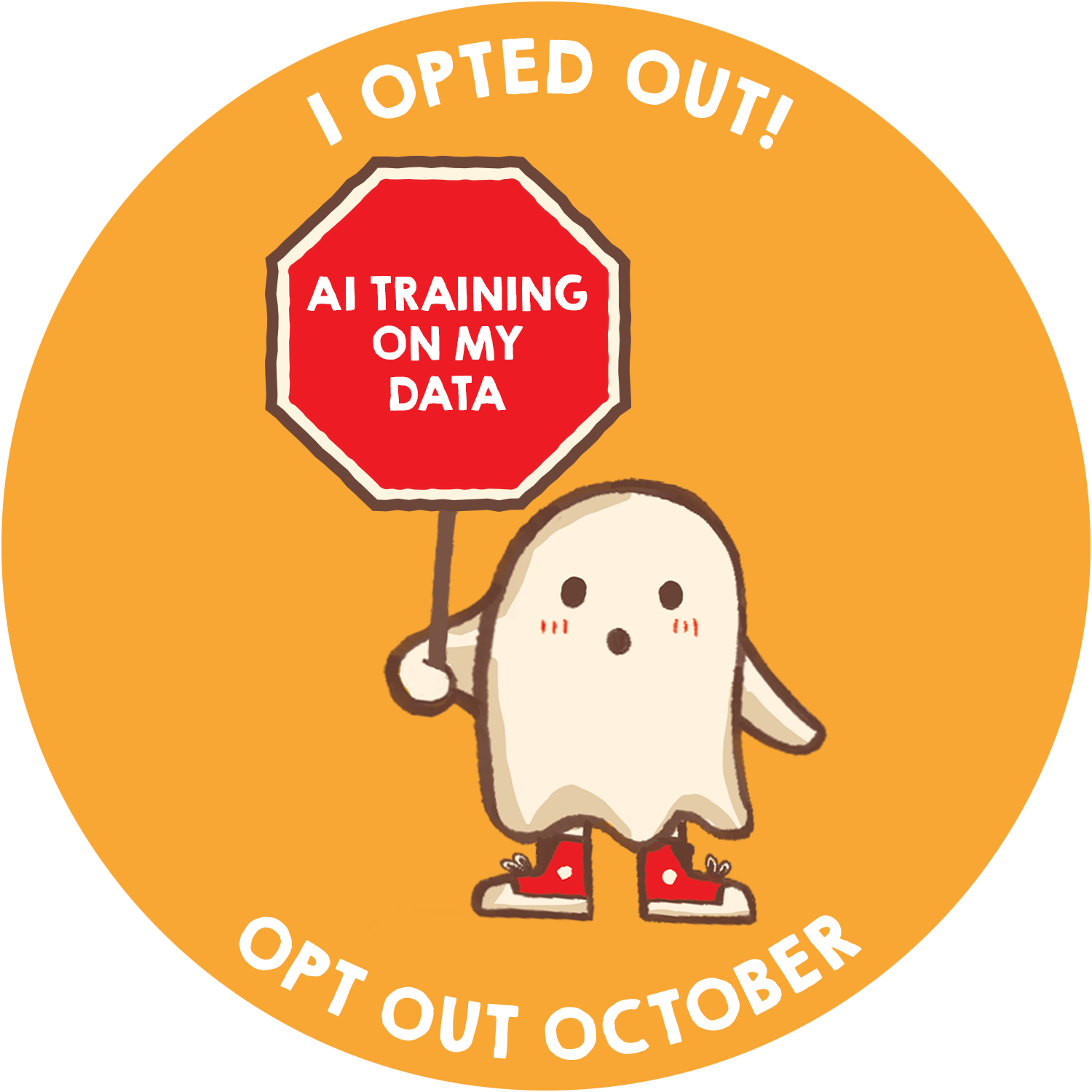
Did you take a few steps to opt out of AI training? Here’s a special merit badge you can only get if you succeeded in opting out. Share it on social media! Tell your friends what you’ve accomplished and help them opt out too!

r/privacy • • 9h ago Mindblown

news Reddit User Traces $2 Billion in Age Verification Lobbying

Thumbnail reddit.com
1.7k Upvotes

Reddit search didn't indicate this post had already been posted here, but it's unreliable so this might be repetitive.

I mentioned in a comment today that it must be over a decade since I originally read that Zuckerberg wanted there to be no anonymous users on the internet. It seems he's turning that aspiration into reality.

Edit:

Here's the link again for those who miss it's in the upper corner of the post:

https://www.reddit.com/r/linux/comments/1rshc1f/i_traced_2_billion_in_nonprofit_grants_and_45


r/privacy • • 3h ago

news Oshkosh, WI bans automated license plate readers

Thumbnail fox11online.com
264 Upvotes

r/privacy • • 2h ago

discussion Target customer service line recording you for biometric voice print

184 Upvotes

TIL...

I wanted to speak to a person in customer service, and an automated voice said that by continuing I was agreeing that Target would record me for the purposes of making a biometric voice print (or some such language). It also said to visit target's privacy page to learn about opting out and how they use our data. Spoiler alert: I didn't find any way to opt out of voice recording on that page. I also discovered they use license plate readers. I'm sure that's old news, but I didn't know until today.

I hopped onto Target's customer service chat and asked if there was a way to speak to customer service without agreeing to this. There isn't.

I understand Target has been in many ways a privacy nightmare, I know about the in store tracking. Apparently this is the bridge too far for me. We should be able to access human customer service agents without giving up our biometric privacy.


r/privacy • • 1h ago Mindblown

news Spied on by governments with Israeli spyware: in Europe, no one pays the price | EU journalists, activists and political opponents targeted by invasive spyware.

Thumbnail irpimedia.eu
112 Upvotes

r/privacy • • 1h ago

news Meta's Muse AI Accessed Signal Messages in Tests, Sent Employees Unexplained Bank Balances, Investigation Finds

Thumbnail ibtimes.co.uk
29 Upvotes

r/privacy • • 1h ago

age verification Italy set to introduce social media curbs for teenagers

Thumbnail tbsnews.net
19 Upvotes

r/privacy • • 1h ago

news Bath live police facial recognition plan postponed

Thumbnail bbc.com
17 Upvotes

r/privacy • • 13h ago

guide You CAN opt out of drivers license scanning at a Quest Diagnostics check in kiosk.

87 Upvotes

but sadly most people don’t do this. Except one person who said they only had a photo of her ID on her mobile.

Under the big green button that says “I consent” there is an underlined text link that says “I do not consent”. Since it doesn’t look like a button most people I observed today didn’t choose that and scanned their license and insurance card.

I have less issue with the insurance card being scanned as that is a legitimate business need for billing. But scanning and storing the ID with it is the riskier piece. But with this process the kiosk workflow makes you scan both with no option for just insurance card besides opting out all together.


r/privacy • • 7h ago

question Sending two packages to two online friends, don't want my personal address on them

17 Upvotes

Hi, I live with one other person in my home. I have two online friends that I have chatted to the last 3-5 years. We don't have each other's numbers, just chat on twitter and discord. I want to send one stuffed animal and a letter to one friend, and one blind box item to another friend (all of us are in the US). However, even though I trust them *enough* to send items, I don't want my personal address on the mail, even though I have one of their full addresses, and I have a nearby house of the other's. If I take both items to the post office, do I have to put a return address on them? If so, what are my options for what I write down? I don't really need a P.O box because I'm likely only going to be doing this once. Thanks!

ETA: Jesus Christ, I'm not a child predator or a stalker. I am a disabled person who likes giving, and my friend wants a fucking bunny jelly cat but they're always sold out at her mall. I have 5, so I'm sending her one. 💀 However, we are only and have only been online friends, and since I don't fully know these people, I'm just being cautious for myself. Think it odd if you want, that's none of my concern.


r/privacy • • 19h ago

age verification A Senate Bill Puts Roblox, Arbitration, and Surveillance Together

124 Upvotes

https://reclaimthenet.org/roblox-arbitration-bill-surveillance

"On Monday, November 16, US Senators Josh Hawley (R-Mo.) and Dick Durbin (D-Ill.) introduced the No Forced Arbitration for Child Sexual Exploitation and Cyber Injuries Act, a day before Hawley was set to chair the first congressional hearing on Roblox.

This is not a coincidence, as the proposed bill directly pertains to the type of business the giant gaming platform is in – and the type of legal trouble it finds itself in."

"Why does this matter from the privacy angle? It is because lawsuits like these have become a way to go after platforms for things that Section 230 was designed to protect them from, i.e., third party content. Instead, plaintiffs sue over the platform's 'design, features, or operation' – and the remedy they seek is more and more surveillance and censorship.

The bill uses this phrase, and the effect of the lawsuits is to get platforms to ID every user, monitor every communication, and remove content. That's what the legal efforts that the new bill seeks to facilitate keep resulting in.

For example, a suit brought by Oklahoma said that Roblox not asking for age and ID at sign-up is "a design feature that leads to child endangerment," while a complaint filed by Los Angeles County listed "age verification" as the first measure the platform failed to adopt.

In May, we reported that a settlement in Nevada forced Roblox to remove encryption from chats of all its minor users.

That is why these lawsuits, even though they may seem to be about holding a company to account for things it is actually responsible for, are dangerous for the privacy of all users, as the end result is more surveillance, more data harvesting, and more censorship"


r/privacy • • 22h ago

news Yesterday San Diego, CA Became the Largest US City to End Flock Contract. Smart Streetlights Program Shut Down As Well. Cameras To Be Shut Off With 24 Hours per Mayor.

109 Upvotes

Vote was unanimous. Hopefully other big cities will follow. I view this as a big victory. The turning point came Thursday when, among other things, SDPD used the cameras and ALPRs to track one of their own officers.


r/privacy • • 4h ago

software Need advice with browser

4 Upvotes

Okay so I’ve actually been reading about this and I’m a little lost. When I did a browser fingerprint test with LW and resist fingerprinting it’s seems that my browser was still very unique so I unchecked it and installed that canvas extension that gives fake values. The website then has a better score in terms of not being as unique. Any thoughts?


r/privacy • • 1h ago

discussion Advice?

2 Upvotes

I have been trying to cleanse my old internet presence when I was a very young kid & when I used to use my former friend group (no longer used by them) social medias for awhile, going through all my and their former comments and trying to get rid of things from the social media we shared through a email. So far

- The email name never contained any of our names

- Removed a few controversial comments on tiktok & reddit I found through most of it’s history. Nothing really offensive but haven’t looked at everything, they were never racist or offensive as far as I remember (but you never know). Not sure if there’s any popular tiktok or reddit archives to further check for anything, but internet archive (checked all socials) only contained 2 results that I don’t care about.

- There might had been a prior number tied to our google account but is now removed. We once used the email for a game & spent money, but I couldn’t find any card directly through the google account’s email settings, or on that game’s payment information options.

- Considering unlinking the email from tiktok

- I found that searching the email or socials on google brings very little results, or unrelated youtube & tiktok videos

- No meta accounts were ever linked

- To my knowledge nothing was posted that was personal

- All remaining accounts under it have been privated for a long time

I want most (but not all) of the old content gone simply because it’s cringe. Does anyone have any advice how I can further clean it up? I know platforms likely keep deleted content for a few years, but I don’t care for that as long as employers don’t find much (or would even be bothered to look).


r/privacy • • 22h ago

discussion All or Nothing Thinking Becoming Increasingly Common on Surveillance Related Issues

55 Upvotes

Has anyone noticed that in pretty much every thread that discusses surveillance, there's always someone who takes the absolute worse example of a surveillance technology / situation and then blanketly assumes it's the default for everyone and everything now?

I've tried to engage these people and I've yet to find one who can actually prove their claims beyond assuming they are true. I've seen it happen no this vary sub, and it's quite troubling.

What I don't understand is why people would "fib" like this. Or where this comes from?

It also seems more common now throughout reddit and social media than even a few years ago.


r/privacy • • 1d ago

news The US Post Office "takes photographs during the transaction to capture the individual purchasing the stamps."

775 Upvotes

I'm reacting to the information in this story

https://abcnews.com/US/man-sends-peanut-butter-mail-allergy-arrested/story?id=138183639

in which the police identified a man who sent a peanut butter covered letter to a woman with a severe allergy. They caught him using the 15-digit code on his Forever stamps.


r/privacy • • 1d ago

age verification Can I somehow verify my age on discord without compromising anything?

22 Upvotes

Im starting to get desperate


r/privacy • • 20h ago

question Anyone have experience with anonymous package reshipping services?

9 Upvotes

I stumbled across a site called proxyhub.space that acts as a parcel forwarding proxy so you don't have to give your real address directly to online shops... basically they receive your package first and reship it to you.

In theory, the concept of decoupling your home address from online orders makes sense, especially for privacy-sensitive stuff. In practice, handing physical packages over to a relatively unknown middleman feels like a massive trust issue. Has anyone here ever used them or looked into how reliable they are, or is this just an unnecessary risk compared to regular parcel lockers?


r/privacy • • 2d ago Regret Heartwarming Mindblown

news Revealed: Israel uploaded millions of photos to Amazon’s facial recognition platform to track Palestinians

Thumbnail theguardian.com
1.9k Upvotes

r/privacy • • 2d ago

news Courts Are Striking Down Warrantless Flock Camera Use

Thumbnail lawfaremedia.org
1.8k Upvotes

r/privacy • • 1d ago

news It looks as though the UK is pulling back from their Client Side Scanning rules.

279 Upvotes

It looks as though the UK is backing away from their new Client Side Scanning rules for Google and Apple.

Just today Ofcom decided not to force tech companies to scan people's personal devices under its latest child safety rules.

They've, for the moment, anyway, decided that there's be no compulsory scanning of devices enforced on companies.

Social media will have to do a lot more to detect and remove content, as oppsed to putting that on the public through spyware.

They're still debating services like WhatsApp and their end to end encryption.

They expect people sharing illegal material to be banned, which is pretty obvious.

And they've decided not to introduce automatic fraud scanning, at the moment.

But, still...

Although Ofcom has backed away from compulsory scanning under these particular rules, the Online Safety Act contains separate powers that could potentially allow the government to require technology companies to scan private messages in the future.

So this isn't necessarily the end of the story. But I think we all knew that, really.

For now, it's a small win for privacy, but I wouldn't consider the issue settled.

But you know, some small good news.

The automod is picking it up (mistakenly, I'm pretty positive), but if you search on whatever engine you use UK leaves client-side scanning out of new child safety rules you can read more.


r/privacy • • 1d ago

age verification will internet be surveillance free once the ftc rejected age verification

30 Upvotes

I'm so sick of their "think of the children" mindset and i hope this will come true as we entered 2028 or 2030


r/privacy • • 2d ago

news Tech Companies Are Trying to Shift the Entire Concept of Privacy (Again)

Thumbnail eff.org
325 Upvotes