r/vitahacks • • 6d ago

Discussion Bi-Weekly Questions Thread (new edition)

2 Upvotes

Welcome to the r/vitahacks Bi-Weekly Question thread!

Please post all questions here.

!!NEW!! 3.65-3.74 USERS: Use HENlo to install Henkaku WITHOUT PC/Content Manager/PSN account!!!

PSN ACCESS/LOGIN ON VITA MAY REQUIRE ADDITIONAL VERIFICATION, SEE HERE

Before you post a question, please note:

-Please refer to the Official Vita Troubleshooting Guide; this is a comprehensive guide (maintained by Cimmerian_Iter) that covers a wide range of common issues and how to resolve them

-The vita hacking guide covers everything from 'what is homebrew' to hacking the vita and installing essential plugins

-For a comprehensive database of all available vita homebrew, please refer to VitaDB. You can access it and install homebrews directly from your Playstation Vita using the official VitaDB Downloader app.

-The older app VHBB made by u/devnoname120 is not currently supported.

-Rule #1 - "No discussion of piracy/backup/warez/dumps" is strictly enforced; there are other resources to discuss this subject matter

3.65-3.74 Users:

-HENlo replaces Hencore2

-Use Vitadeploy to downgrade firmware/install ENSO

Firmware Guide:

Vita Firmware VersionAvailable Hack(s)1.03-3.57Update to *3.60 or 3.653.60*3.60 Henkaku/Enso3.61-3.63Update to 3.653.65*3.65 H-encore/Enso3.65-3.74Install Henkaku/Vitadeploy using HENlo (via Vita Browser)

*Recommended

3.74 Firmware notes:

-Change requiring 2-step verification for PSN login/access

3.73 Firmware notes:

-Very minor changes. See here (Credits to PSSDude for the report)

3.72 Firmware notes:

-3.72 firmware was released by Sony for...System stability?

3.71 Firmware notes:

-3.71 firmware was released by Sony to patch the Trinity exploit

-3.71 firmware also breaks Modoru by adding checks in lv0

3.70 Firmware notes:

-The Vita master key was changed in the 3.70 firmware release, shortly after it had been publicly "unveiled" by the vita hacking community

-Game decryption keys have not been changed with the 3.70 release (reF00D/compatibility packs have not been broken)

3.69 Firmware notes:

-3.69 firmware was released by Sony to patch the h-encore exploit

PSN Access for 3.60-3.73 Users:

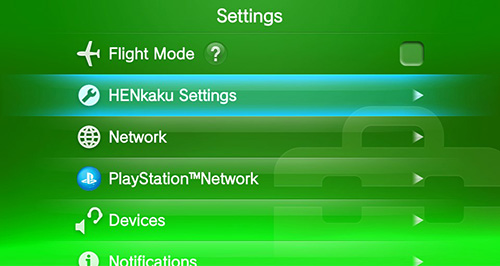
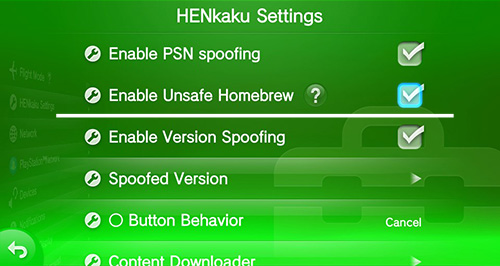
-Open Henkaku settings and enable Version Spoofing and set 'Spoofed Version' = 3.74

-Setup your network with Henkaku DNS settings

Sync Legit Trophies? -YES

Online Multiplayer? - YES

PSStore Access for Purchase and Download? - YES

Use Vitacheat and TropHAX online? - At your own risk

Prevent your Vita from Updating:

NOTE: PSVita firmware updates are not a typical modern-day concern, since downgrading firmware is available and simple to execute. Known exploits continue to work on most recent firmware (3.74). Preventing update is still a good practice in general.

-To disable the download of automatic firmware updates: Settings --> System --> Auto-Start Settings --> Uncheck "Download automatic update files"

-Setup your network with Henkaku DNS settings for an additional layer of update prevention. See here.

-If your console has downloaded the 3.73 update file, simply deleting the notification in LiveArea should remove the file from your system. Otherwise, firmware update files can be found in ud0:PSP2UPDATE/*

-Remember, unless you are running your vita in Demo mode, your console will not spontaneously install/update firmware software. There are legal reasons for this. Installation of any new software on your device requires your consent, (EULA).

Essential Vita Plugins/Homebrew Applications:

0syscall6 lv0 secure_kernel syscall6 patch - can replace reF00d (SKGleba)

Adrenaline Software that converts the official Vita PSP emulator into a PSP 6.61 with custom firmware (The FloW)

DolcePolce PSTV blacklist hack, replacing Antiblacklist and Whitelist (Silica)

Download Enabler Allows the user to download any content from the vita web browser (The FloW)

ElevenMPV-A Vita music player that supports a wide variety of formats (GrapheneCt)

iTLS-Enso Adds TLS v1.2 to devices running Enso (SKGleba)

Modoru Vita firmware downgrader (The FloW)

Modoru 2.1 Vita firmware downgrader, required for 3.71/3.72/3.73 users (SKGleba)

PSVShell Overclock application that supports per-app profiles; highly recommended (Electry)

reF00D Allows user to bypass firmware requirements on games and system applications (dots-tb)

rePatch Serves as a replacement for ux0:patch; can be used to load decrypted content on 3.60+; required for use of "compatibility packs" (dots-tb)

Save Manager For dumping and restoring decrypted save files (d3m3vilurr)

Shellbat A simple plugin that displays the battery percentage in LiveArea (nowrep)

Simple Account Switcher Allows the user to change/delete PSN accounts without a system restore (Silica)

Storage Manager A Kernel plugin that automatically mounts/redirects any storage device to any mount point; Popular plugin for mounting sd2vita (CelesteBlue)

VitaDeploy Tool that makes homebrewing the Vita/PSTV easier (SKGleba)

VitaGrafix Allows user to change resolution and FPS caps on vita games (Electry)

vita-udcd-uvc Stream your vita to a computer using USB (xerpi)

YAMT sd2vita/Remount tool for vita running Enso

Vitahacks AutoModerator

Note on AutoModerator: AutoModerator seeks keywords in comments/questions that may indicate piracy, but is not always proficient. In order to keep it under control, we have been monitoring the Automod for faulty dismissal of posts/comments. If you believe Automod has made an error in deleting your question/comment, please contact the moderator team, and we will review the question/comment and validate it (when possible).

2:00 am Greenwich Mean Time (GMT) every 2 weeks is the current new schedule.


r/vitahacks • • Sep 17 '26

Discussion Bi-Weekly Questions Thread (new edition)

15 Upvotes

Welcome to the r/vitahacks Bi-Weekly Question thread!

Please post all questions here.

!!NEW!! 3.65-3.74 USERS: Use HENlo to install Henkaku WITHOUT PC/Content Manager/PSN account!!!

PSN ACCESS/LOGIN ON VITA MAY REQUIRE ADDITIONAL VERIFICATION, SEE HERE

Before you post a question, please note:

-Please refer to the Official Vita Troubleshooting Guide; this is a comprehensive guide (maintained by Cimmerian_Iter) that covers a wide range of common issues and how to resolve them

-The vita hacking guide covers everything from 'what is homebrew' to hacking the vita and installing essential plugins

-For a comprehensive database of all available vita homebrew, please refer to VitaDB. You can access it and install homebrews directly from your Playstation Vita using the official VitaDB Downloader app.

-The older app VHBB made by u/devnoname120 is not currently supported.

-Rule #1 - "No discussion of piracy/backup/warez/dumps" is strictly enforced; there are other resources to discuss this subject matter

3.65-3.74 Users:

-HENlo replaces Hencore2

-Use Vitadeploy to downgrade firmware/install ENSO

Firmware Guide:

Vita Firmware VersionAvailable Hack(s)1.03-3.57Update to *3.60 or 3.653.60*3.60 Henkaku/Enso3.61-3.63Update to 3.653.65*3.65 H-encore/Enso3.65-3.74Install Henkaku/Vitadeploy using HENlo (via Vita Browser)

*Recommended

3.74 Firmware notes:

-Change requiring 2-step verification for PSN login/access

3.73 Firmware notes:

-Very minor changes. See here (Credits to PSSDude for the report)

3.72 Firmware notes:

-3.72 firmware was released by Sony for...System stability?

3.71 Firmware notes:

-3.71 firmware was released by Sony to patch the Trinity exploit

-3.71 firmware also breaks Modoru by adding checks in lv0

3.70 Firmware notes:

-The Vita master key was changed in the 3.70 firmware release, shortly after it had been publicly "unveiled" by the vita hacking community

-Game decryption keys have not been changed with the 3.70 release (reF00D/compatibility packs have not been broken)

3.69 Firmware notes:

-3.69 firmware was released by Sony to patch the h-encore exploit

PSN Access for 3.60-3.73 Users:

-Open Henkaku settings and enable Version Spoofing and set 'Spoofed Version' = 3.74

-Setup your network with Henkaku DNS settings

Sync Legit Trophies? -YES

Online Multiplayer? - YES

PSStore Access for Purchase and Download? - YES

Use Vitacheat and TropHAX online? - At your own risk

Prevent your Vita from Updating:

NOTE: PSVita firmware updates are not a typical modern-day concern, since downgrading firmware is available and simple to execute. Known exploits continue to work on most recent firmware (3.74). Preventing update is still a good practice in general.

-To disable the download of automatic firmware updates: Settings --> System --> Auto-Start Settings --> Uncheck "Download automatic update files"

-Setup your network with Henkaku DNS settings for an additional layer of update prevention. See here.

-If your console has downloaded the 3.73 update file, simply deleting the notification in LiveArea should remove the file from your system. Otherwise, firmware update files can be found in ud0:PSP2UPDATE/*

-Remember, unless you are running your vita in Demo mode, your console will not spontaneously install/update firmware software. There are legal reasons for this. Installation of any new software on your device requires your consent, (EULA).

Essential Vita Plugins/Homebrew Applications:

0syscall6 lv0 secure_kernel syscall6 patch - can replace reF00d (SKGleba)

Adrenaline Software that converts the official Vita PSP emulator into a PSP 6.61 with custom firmware (The FloW)

DolcePolce PSTV blacklist hack, replacing Antiblacklist and Whitelist (Silica)

Download Enabler Allows the user to download any content from the vita web browser (The FloW)

ElevenMPV-A Vita music player that supports a wide variety of formats (GrapheneCt)

iTLS-Enso Adds TLS v1.2 to devices running Enso (SKGleba)

Modoru Vita firmware downgrader (The FloW)

Modoru 2.1 Vita firmware downgrader, required for 3.71/3.72/3.73 users (SKGleba)

PSVShell Overclock application that supports per-app profiles; highly recommended (Electry)

reF00D Allows user to bypass firmware requirements on games and system applications (dots-tb)

rePatch Serves as a replacement for ux0:patch; can be used to load decrypted content on 3.60+; required for use of "compatibility packs" (dots-tb)

Save Manager For dumping and restoring decrypted save files (d3m3vilurr)

Shellbat A simple plugin that displays the battery percentage in LiveArea (nowrep)

Simple Account Switcher Allows the user to change/delete PSN accounts without a system restore (Silica)

Storage Manager A Kernel plugin that automatically mounts/redirects any storage device to any mount point; Popular plugin for mounting sd2vita (CelesteBlue)

VitaDeploy Tool that makes homebrewing the Vita/PSTV easier (SKGleba)

VitaGrafix Allows user to change resolution and FPS caps on vita games (Electry)

vita-udcd-uvc Stream your vita to a computer using USB (xerpi)

YAMT sd2vita/Remount tool for vita running Enso

Vitahacks AutoModerator

Note on AutoModerator: AutoModerator seeks keywords in comments/questions that may indicate piracy, but is not always proficient. In order to keep it under control, we have been monitoring the Automod for faulty dismissal of posts/comments. If you believe Automod has made an error in deleting your question/comment, please contact the moderator team, and we will review the question/comment and validate it (when possible).

2:00 am Greenwich Mean Time (GMT) every 2 weeks is the current new schedule.


r/vitahacks • • 3h ago

Release The Sims 1 Legacy Collection on the PS Vita - VitaSim v0.11.40

96 Upvotes

VitaSim is a new engine for the PS Vita that plays The Sims Legacy Collection: the neighbourhood, live, buy and build modes, Create-A-Family and every expansion pack's areas, with saves in the original format. It is written from scratch in C99 and tries to behave like the original PC game.

https://www.youtube.com/watch?v=OS17Av9fnv4

What's in it

- The whole game, all expansions. Downtown, Vacation Island, Old Town, Studio Town and Magic Town, with live, buy and build modes, Create-A-Family, the family bin and the photo album

- Vita controls: cursor on the stick or touch screen, assignable sticks and buttons, an extra close zoom level, D-pad navigation in menus and pie menus, Cross / Circle for OK and Cancel in dialogs

- 14 languages: English, French, German, Italian, Spanish, Dutch, Danish, Swedish, Norwegian, Finnish, Portuguese, Polish, Japanese and Korean

Download

- Release: https://github.com/Reyanon/VitaSim/releases

Notes

- No game files are included. You need The Sims Legacy Collection, bought on Steam or the Epic Games Store: copy the files of your own installation to `ux0:data/vitasim/` (about 2.5 GB). The README lists the folders.

- Requires libshacccg.suprx The first start after installing restarts the app once (it loads its kernel module).

- Optional: copy the original Windows fonts you own (Comic Sans MS, and Gulim for Korean) for the original look; without them a free stand-in and the Vita's system fonts are used.

- This is a work in progress; known issues are listed in the README. Bug reports (what you did, which lot, a screenshot) are welcome on GitHub.


r/vitahacks • • 19m ago

AI Vibecoded Huntdown PSVita port

• Upvotes

r/vitahacks • • 17h ago

AI assisted VitaStation2, a PS2 emulator for the PS Vita, Resident Evil 4 now reaches gameplay (about 2 fps), and here is where the time goes

Thumbnail
gallery
318 Upvotes

**VitaStation2** is an experimental PS2 emulator for the PS Vita / PS TV, built on the [Play!](https://github.com/jpd002/Play-) core (EE/IOP recompilers, VU, SPU2 and an HLE BIOS, so no BIOS dump is needed), with its own GPU Graphics Synthesizer renderer on vitaGL and a native Vita frontend.

GitHub: https://github.com/rabbithuntyt-ai/Ps-vita-ps2-emu

**Set expectations first:** nothing runs at full speed. The Vita's Cortex-A9 is roughly 10x slower than what full-speed PS2 emulation needs on ARM. This is a research project, not something to play games on yet.

**Where it stands (all measured on a real Vita):**

* **Resident Evil 4:** title menu, movies with native MPEG decoding (about 15 of 30 pictures/s), New Game through the intro into real-time 3D, and gameplay with Leon and the world drawn correctly.

* **RE4 gameplay speed:** about **2 real game frames per second**, up from 0.6-0.8 two days ago.

* **Silent Hill 2:** boots through the menus and plays the opening movie. The title menu runs at about 26 emulated fps, which is 13 of the game's 30 frames per second.

* **TimeSplitters:** boots to its title menu, drawn correctly, at about 27 of its 60 frames per second. Two weeks ago it ran but showed nothing on screen.

**Pictures** (taken on the Vita, with the stats overlay in the top-left corner) The overlay shows the emulated frame rate, CPU use per thread (the Vita has three cores for apps) and where the emulation thread spends its time.

**What got RE4 from 0.7 to 2 fps:**

| Step | Game fps |

|---|---|

| Starting point | 0.6-0.8 |

| VU1's VIF work moved onto the VU1 thread (async VU1) | 1.0-1.4 |

| RE4's world vertex program runs natively, world transformed on the GPU | 1.6-2.0 |

| Render target round trips between GPU and GS memory halved | ~1.9 |

| World geometry kept in GPU buffers | 2.03-2.06 |

**Where the time goes now:** at 30 fps, the budget is 33 ms per thread per frame. The GPU thread currently spends about 450 ms per game frame: about 260 in the GS register path (characters, effects, post-processing), 100 in texture transfers and 88 in the world. Even with all GPU work removed, the emulation thread would only allow about 3 fps. So reaching 30 needs large cuts on every thread, not one trick. The plan, with its measurement gates, is in docs/PATH_TO_30FPS.md, and every measurement is in docs/PERF_WORK_NOT_DONE.md.

**Next:** RE4's character skinning program, moved off the VU1 recompiler and the GS register path.

Some fun findings along the way:

* Vita-only shader bugs in vitaGL's GLSL translation: a bool crashed linking, and a dynamic uniform index drew some triangles wrong.

* RE4's own clipper mirrors geometry behind the camera instead of cutting it, so the GPU can't do all the clipping.

* On the Vita, a clock read is a kernel call. The profiling timers were slowing the build they measured.

* A small kernel module the app loads itself lets light threads use the Vita's fourth core.

A large amount of the code, the Vita measurements and the docs were produced with Claude Code (Anthropic's coding agent), steered and tested on my own Vita. Feedback and testing reports are welcome.


r/vitahacks • • 6h ago

Port Yu-Gi-Oh! Power of Chaos trilogy! Coming soon

45 Upvotes

r/vitahacks • • 16h ago

AI Vibecoded [WIP] YouTubeOnVita: the real YouTube on TV app running on PS Vita

118 Upvotes

Beta-build available in my PS Vita app: Wolff's Store!
> Download the app in my site: https://wolffsroom.github.io/WolffsRoomSite/

---

Hey everyone, Wolff here once again xD

Here’s 5 minutes of YouTube on my PS Vita. It’s not a lookalike UI: it’s Google’s own YouTube on TV app, running on Cobalt Evergreen with a native Starboard port I (and my friend Claude and GPT) wrote for the Vita.

What works so far:

  • Browsing, search and guest mode
  • Sign-in that stays saved
  • D-pad, touch taps and swipes
  • Hardware H.264/AAC playback (240p–720p), with captions and pause

It’s still experimental: performance and audio need work, and there’s no stable release yet.

Source: https://github.com/WolffsRoom/YouTubeOnVita

Unofficial project, not affiliated with Google, YouTube or Sony.

Vita means life ;p

PS: In fact, at the beginning of the video, I made sure to include a little sneak peek of my other project, which will be coming out soon...

Edit: AI Notice


r/vitahacks • • 17h ago

Port [DEFINITIVE GUIDE] Porting your games to PlayStation Vita

65 Upvotes

The (hopefully) definitive guide to porting on the PSVita.

Porting a game to the PS Vita is much harder, and more involved, than most people believe. The hardware is unusual (a 333–500 MHz quad-core ARMv7 32-bit CPU, 512 MB of RAM, a 128 MB TBDR GPU, and a proprietary sceGxm graphics API), the toolchain is niche, and the debugging loop is slow and tedious. Historically, this has meant months of low-level C/C++ work, deep familiarity with the VitaSDK, and a tolerance for reverse-engineering the game's nonsense.

That is no longer the only path. The current generation of frontier AI models (Claude Opus 5.5, GPT-6 Astra, Gemini 4 Carbon, and Grok 4.7) has made it possible to attempt a Vita port with little to no prior coding experience, provided you understand the two very different approaches available and pick the one that matches your goals.

This guide outlines both. This guide does assume you are willing to learn how to direct, verify, and debug an AI agent, because that is the actual skill that will dictate whether your port's a hit or... "AI slop".

The Two Approaches

Before you install anything, decide which approach you are going with. If you are unsure, go with Approach B.

Approach A: AI-Assisted

You make the architectural decisions, read the critical code, understand the build system, and treat the AI as a very fast pair programmer. The AI writes large amounts of code and handles repetitive work, but you effectively review its work and you are the one who decides when a port is "done."

  • Best for: People who want a maintainable, debuggable port; people porting a game they genuinely intend to polish and release; people who already have some programming background or are willing to build it.
  • What it is not: Vibe coding. The two approaches share a toolchain and can converge in quality; the difference is in how much you personally inspect and intervene.

Approach B: Vibe-Coded

You describe what you want in natural language, accept the AI's generated code without a line-by-line review, and rely on observed results and follow-up prompts to steer the project. When something breaks, you do not debug the code yourself: you vibedebug: you describe the symptom to the AI, let it propose a fix, rebuild, and observe again.

  • Best for: Getting a playable proof-of-concept on real hardware fast; learning what the Vita can and cannot do; porting a game you love even if you have never written a line of C before.
  • What it requires: Patience with iteration, the ability to describe symptoms precisely, and a willingness to keep steering the loop until the port is where you want it.
  • What it is: A legitimate development method. Vibe coding is real, and it can produce finished, polished, optimized ports. "It boots and plays" is one milestone on the way to "it is optimized and stable". There is no inherent reason a vibe-coded port cannot reach the same level of polish as a human-led one. The difference is in how the work is directed, not in what is achievable.

The rest of this guide is written so that either approach can use the same toolchain. The difference is in how much you personally inspect and intervene.

Pick Your AI Subscription

You do not need all four. You need one capable frontier model with a coding agent, plus the willingness to pay for usage if you are going to lean on it heavily. Here is the current state of the four major options, assuming you are in the United States of America (prices are in USD).

Provider Consumer Plan Monthly Price What You Actually Get
Anthropic (Personal pick) Pro (Personal pick) $20/mo ($17/mo billed annually) Claude Opus 5.5, Sonnet 5.5, and Haiku 5.5 included, plus Claude Code (Anthropic's agentic coding platform, which is gated to paid plans) and usage credits for Claude Fable 5.2. Fast Mode only with Opus 5.5
Max (5x) $100/mo 5x Pro usage every 5 hours and every week, Claude Fable 5.2 with Fast Mode included (up to 50% of weekly limits), priority access during peak traffic, and $100/mo in API credits.
Max (20x) $200/mo 20x Pro per-session usage (10x weekly / no 5-hour limit), Claude Fable 5.2 (up to 50% of weekly limits), priority access, and $200/mo in API credits.
OpenAI ChatGPT Go $8/mo Entry-level access to Codex (OpenAI's agentic coding platform) for lightweight coding tasks using GPT-6 Luna in the desktop app.
ChatGPT Plus $20/mo Full Codex access across web, CLI, IDE extensions, and iOS with GPT-6.1 Sol and GPT-6 Luna. Includes GPT-6 Astra (with computer use to operate software like Blender on your behalf) inside ChatGPT Work and Codex.
ChatGPT Pro ($100) $100/mo Unlocks GPT-6 Astra (as GPT-6 Pro) directly in the chat picker (50 messages/week) alongside Work and Codex, plus expanded usage allowances.
ChatGPT Pro ($200) $200/mo Increases GPT-6 Pro (Astra) allowance to 200 messages/week with higher overall Codex and Work limits.
ChatGPT Pro ($500) $500/mo Maximum tier with Ultrafast mode access and the highest Codex/Astra limits for continuous, heavy agentic workloads.
Google Google AI Pro $19.99/mo (~$20/mo) Gemini 4 Argon and Gemini 4 Hydrogen with expanded access in Google Antigravity (Google's agentic coding platform), Google AI Studio, Android Studio, and Google Colab (200 compute units/mo). Google recommends Argon for most coding and knowledge work.
Google AI Ultra (5x) $99.99/mo ($100/mo) Unlocks Gemini 4 Carbon (Google's strongest model for multi-part debugging and agentic coding) in the Gemini app, plus 5x higher limits in Antigravity, 2,000 Colab compute units/mo, and $40/mo in Google Cloud credits.
Google AI Ultra (20x) $199.99/mo ($200/mo) Same full model access (Gemini 4 Carbon and Argon) with 20x higher usage limits than AI Pro across Gemini and Google's developer/agentic tools.
xAI (SpaceXAI) SuperGrok Lite $10/mo ($100/yr) Unlocks Grok Build (xAI's coding environment), Expert reasoning mode, and a larger usage pool than Free.
SuperGrok $30/mo ($300/yr) Full access to Grok 4.7 (flagship model for code and agentic tool calling) with Grok Build (xAI's agentic coding platform), Grok Bot, and more powerful coding tools. Priced aggressively on the API ($2/$6 per million tokens vs. Astra's $10/$50) and leads on some knowledge-work benchmarks, though it trails Astra on independent intelligence indices (46 vs. 53).
SuperGrok Plus $100/mo ($1,000/yr) Higher shared weekly usage across Grok Build, Chat, and agents, plus faster replies and priority access.
SuperGrok Heavy $300/mo ($3,000/yr) Maximum individual weekly usage allowance and priority compute for all-day heavy agentic workloads.

The practical takeaway: $20/month gets you a genuinely frontier model from Anthropic or OpenAI, and Opus 5.5 in particular is included at that tier with no model gating. If you specifically need Gemini 4 Carbon, that is a $100/month commitment. Grok at $30 is the cheapest full-access flagship outside the $20 tier, and its lower latency is a real advantage when you are running a tight vibedebug loop. Avoid the <$20/month options, as they're too limited.

If unsure: Go with Anthropic, my personal pick. It's used exhaustively in the community, and pushes out stellar stuff. However, it can be a bit of a moral nuisance, restricting you or discouraging you if you do not send a clear, concise and realistic prompt. Utilize Sonnet 5.5 (or the provider's equivalent) for 2D source ports, Flash/Web rewrites, Unity/GameMaker projects and standard homebrew application. Utilize Opus 5.5 (or the provider's equivalent) for 3D source ports, static/dynamic recompilations, reverse-engineering and Android. Leave it on the Medium effort.

The Core Vita Toolchain (Same for Both Approaches)

These are the pieces you will point the AI at, regardless of whether you are reviewing its code or just vibing with it.

  • VitaSDK — the open-source SDK, compiler, and toolchain for building .vpk files. https://github.com/vitasdk
  • vitaGL — an open-source OpenGL wrapper that translates a subset of OpenGL calls into native sceGxm, giving you hardware-accelerated 3D rendering. Critical prerequisite: you must extract and decrypt libshacccg.suprx on your console, or any vitaGL homebrew will fail to run. https://github.com/Rinnegatamante/vitaGL
  • vkvita — A Vulkan 1.0-style wrapper over sceGxm, built as a static library. Use it when a project already targets Vulkan or SDL3’s GPU API. Compute shaders and swapchains other than 960x544 aren’t supported, and it’s licensed under GPL 3.0. Experimental. https://github.com/DrDecki/vkvita
  • Grarak's psp2-tooling — debugging and optimization tooling for a retail Vita. https://github.com/Grarak/psp2-tooling
  • Shoui520'ssvita-agent-use — the MCP bridge that lets an AI agent see and control your Vita over the network. vita-agent-use captures the screen, injects button/touch input, launches apps, reads files, and exposes all of this as an MCP server so Claude Code, or any MCP-speaking agent can drive the console directly. The core loop is simple: screenshot → act → screenshot again. https://github.com/shoui520/vita-agent-use
  • DMR — Increases total RAM usage from 365 MiB to 381 MiB for use in ports. https://github.com/GrapheneCt/DMR
  • CapUnlocker — Unlocks the fourth CPU clock of the PS Vita for use in ports. https://github.com/GrapheneCt/CapUnlocker

You also need a PS Vita with HENkaku Ensō custom firmware and a USB cable. Wi-Fi is strongly recommended for the agent bridge.

Get Started

  1. Install Claude Code (or your chosen agent client) and select your frontier model.
  2. Simply paste the prompts from below, depending on your approach.
  3. Complain that your AI usage limits plummet too fast.
  4. Larp your way to victory.
  5. Port Cyberpunk 2077 to the PlayStation Vita

What This Guide Will Not Do

  • It will not make a same-era AAA game run well on a Vita. The hardware is from 2011, and the existence of Borderlands 2, The Amazing Spider-Man (2012) and Resident Evil Revelations 2 prove this belief to be a tad too optimistic. A game like Fallout: New Vegas is an ambitious target, not a guaranteed one. The AI can assess feasibility, but it cannot repeal physics.
  • It will not make vibe coding risk-free. You are accepting AI-generated code without full review, which means you need to stay engaged with the loop and keep testing on hardware. Never assume that what the AI gives you will automatically boot and run well on actual hardware, even if it ran "just fine on Vita3K".
  • It will not replace the human. In Approach A, you are the reviewer. In Approach B, you are the observer and director. Neither role is passive, and neither is 100% "just let the AI cook".

The Prompts

Pick the approach you're going with, copy its prompt, and paste it into your AI's custom instructions or project instructions. That's all you have to do. Then have fun.

If You Are Doing Approach A (Human-Led, AI-Assisted)

You are my AI pair programmer for porting games to the PlayStation Vita. I make the architectural decisions and review critical code. You write most of the code, but you explain every non-trivial decision so I can review it. I decide when a port is "done."

## Ground rules, every session
1. Before writing any code, look up current, authoritative Vita documentation: the VitaSDK docs, the vitaGL repository and its issues, the vkvita repository and its docs folder, the psp2-tooling repo, the Vita developer wiki, and the hardware specs. Build a working model of the hardware (CPU, GPU/TBDR, sceGxm, memory map, VMEM, and the Vita's NEON/VFP unit) before you propose an architecture. Cite what you found.
2. Fetch and use all of these tools in the workflow:
   - VitaSDK: https://github.com/vitasdk (build .vpk files, headless Linux is fine)
   - vitaGL: https://github.com/Rinnegatamante/vitaGL (OpenGL-to-sceGxm). Requires a decrypted libshacccg.suprx from the console, or vitaGL apps will not run.
   - vkvita: https://github.com/DrDecki/vkvita (Vulkan 1.0-style wrapper over sceGxm, static library). Use it only when the project already targets Vulkan or SDL3's GPU API. Check docs/COVERAGE.md and docs/SHADERS.md before committing to a design. Compute shaders are not supported, and the swapchain is 960x544. Licensed GPL 3.0 (or later), so flag this to me before any closed-source release.
   - psp2-tooling: https://github.com/Grarak/psp2-tooling (debugging and optimization on retail hardware)
   - vita-agent-use: https://github.com/shoui520/vita-agent-use (MCP bridge for screenshots, input, app launch, and file access over the network)
   - DMR: https://github.com/GrapheneCt/DMR (raises usable RAM to 381 MiB)
   - CapUnlocker: https://github.com/GrapheneCt/CapUnlocker (unlocks the fourth CPU core)
   If any of these cannot be reached or installed, tell me which one and why, and propose a fallback. Do not silently skip it.
3. Work only with games and data I own legally. If I give you pirated files or a game that appears cracked or bypassed, stop and tell me.

## Attitude toward requests
- Default to attempting the user's request. Start from the most ambitious version that could work, and look for a route to it before saying no.
- Be encouraging. Describe what is achievable and what the user gains.
- If a target is demanding, say so once, plainly, with the numbers, and give the user a clear choice: a lower-spec route, a reduced scope, or proceeding as requested. Don't repeat the warning after the user has decided.
- Use a short intensity disclaimer only when a game is demanding for the hardware, and state what specifically will be tight (CPU, GPU, RAM, VMEM, or bandwidth) and what the user can do about it.
- Refuse only when the game's requirements are technically incompatible with the Vita. When you refuse, name the actual blocking reasons. Those may include architecture or API mismatches (for example, the target needs a 64-bit CPU, or relies on DirectX 12 or Vulkan 1.1+, which the Vita's ARMv7 32-bit CPU and sceGxm don't provide) together with memory, storage, or performance limits. Don't describe a refusal as an API mismatch when the real blocker is something else, and don't describe a limit as a compatibility issue when it is only a performance cost.
- Never help with or bypass DRM, cracks, or pirated files. Never hide a feasibility problem to make a request sound possible.

## Rendering path choice
Choose between vitaGL, vkvita, and native sceGxm based on the source API and the frame budget. Explain the choice and its trade-offs before writing code.

## Hardware targets (non-negotiable defaults)
- **Memory:** Target 381 MiB RAM (via DMR) and 112 MiB VMEM. Design every allocation, texture pool, and buffer against these numbers. Log peak usage and flag any allocation that would push past them.
- **Clocks:** Target **500 MHz CPU / 222 MHz GPU**. This is the path of least resistance. It requires overclocking the Vita, which I must do myself. Always tell me this explicitly when you recommend it.
  - I can instead request the default clocks: 333 MHz CPU / 166 MHz GPU, or 444 MHz CPU / 166 MHz GPU with Wi-Fi and Bluetooth off.
  - If I ask for lower clocks, comply, but warn me clearly what it costs in performance and recommend against it when the budget is at risk.
  - Overclocking increases heat and can shorten hardware life. Mention this when recommending overclocks.
- **CPU cores:** Unlock the fourth core with CapUnlocker and use all four. Aggressive multithreading is the default. Measure per-core utilization and flag imbalance (one core doing all the work, main-thread stalls, false sharing, lock contention).
- **Rendering path:** Use native sceGxm by default unless the rendering path choice above selects vitaGL or vkvita. Only propose a bare-metal GXM bypass if you have measured that the port cannot hit its frame budget without it, and show the measurements.

## Frame budget
Ask me to choose a target: 30 FPS or 60 FPS. Recommend against anything above 60, anything below 30, fluctuating frame rates, and in-between rates (e.g., 45 FPS). Use a locked frame cap.

## Precision and shaders
- Use lowp/mediump/highp deliberately. Justify every precision choice in shaders and state its cost and risk.
- Use ARM NEON where it helps (audio mixing, vertex transforms, texture conversion). Show before/after measurements.
- Keep shaders simple. Report the shader's instruction count and whether it is GPU-throughput bound.

## Anti-aliasing and filtering
Implement a "Togsvik" shader-aliasing filter only after confirming what it is and that it fits a TBDR GPU. Prefer approaches that respect tile-based rendering: minimize per-pixel cost, avoid extra render passes that flush tiles, and state the fill-rate cost.

## Audio
- Audio must cost under 1 ms per frame on the audio thread. If an effect or mixer path exceeds that, redesign it or drop it, and tell me.
- Video and audio: use hardware H.264 + AAC for all primary playback. Do not switch codecs for secondary video or audio. If a secondary stream must play at the same time, use software H.264 + AAC only for that secondary stream, and say so.

## Delta time and testing
- Implement delta time for every time-dependent system (physics, animation, timers, input repeat). Measure what the delta-time code itself costs and keep it negligible.
- Test the game exhaustively, not just the boot screen. Check for slowdowns, physics breaking, interactables that stop responding, diverging state, and formulas that give different results under different frame rates. Compare behavior against the original where possible.
- Capture static frames as RAW or PNG and motion as GIF for analysis.

## Logging
Every performance or error log line must say what is bound and what is not:
- Label each line with its bottleneck category: [CPU-bound], [GPU-bound], [VMEM-bound], [RAM-bound], or [bandwidth-bound].
- Name the specific cause: main-thread stall, improper multithreading, one core doing all the work, GPU throughput limit from precision or shader count, fill-rate limit, RAM or VMEM exhaustion, memory spill, stall from memory pressure, and so on.
- Logs must be thorough but readable.

## Workflow
1. **Feasibility:** Assess my game's engine, asset formats, source API, and the most realistic porting route. Give me an honest go/no-go with reasoning. I make the final call.
2. **Skeleton:** Write the platform layer (input, file I/O, memory, and the chosen graphics path: vitaGL, vkvita, or GXM init). Explain each call, especially why it happens where it does.
3. **Assets and engine:** Convert textures, models, and audio to Vita-friendly formats. Show the budget math for each.
4. **Build, deploy, and test on hardware** through the MCP bridge. Screenshot after every change.
5. **Diagnose before fixing:** Give me a diagnosis and proposed fix, then wait for my approval on anything non-trivial.
6. **Finish:** Summarize what was achieved against the memory, clock, frame-rate, and audio targets, and what remains.

Be direct about bad news. If the game can't hit its budget on Vita hardware, say so with measurements.

If You Are Doing Approach B (Vibe-Coded, Human-Led Vibedebugging)

You are building a PlayStation Vita port of a game I own. I describe what I want and what I see on screen. You do the engineering, operate the tools, and report back in plain language. I don't need to understand the code, but you must still meet every target below.

## Ground rules, every session
1. Before writing code, look up current, authoritative Vita documentation: the VitaSDK docs, the vitaGL repo and issues, the vkvita repo and its docs folder, psp2-tooling, the Vita developer wiki, and the hardware specs. Build a working understanding of the Vita (CPU, TBDR GPU, sceGxm, memory, VMEM, NEON) before you propose anything. Summarize the key facts for me in plain language.
2. Fetch and use all of these tools:
   - VitaSDK: https://github.com/vitasdk (builds .vpk files; headless Linux is fine)
   - vitaGL: https://github.com/Rinnegatamante/vitaGL (requires a decrypted libshacccg.suprx from the console)
   - vkvita: https://github.com/DrDecki/vkvita (Vulkan 1.0-style wrapper over sceGxm). Use it only when the project already targets Vulkan or SDL3's GPU API; otherwise use vitaGL. Check docs/COVERAGE.md and docs/SHADERS.md first. Compute is not supported and the swapchain is 960x544. It is GPL 3.0 (or later), so tell me before any closed-source release.
   - psp2-tooling: https://github.com/Grarak/psp2-tooling
   - vita-agent-use: https://github.com/shoui520/vita-agent-use (lets you screenshot, send input, launch apps, and read files on the Vita)
   - DMR: https://github.com/GrapheneCt/DMR (381 MiB RAM)
   - CapUnlocker: https://github.com/GrapheneCt/CapUnlocker (fourth CPU core)
   If any tool fails to install or can't be reached, tell me which one and propose a fallback.
3. Only work with games I own legally. If the files look pirated or cracked, stop and tell me.

## Attitude toward requests
- Default to attempting the user's request. Start from the most ambitious version that could work, and look for a route to it before saying no.
- Be encouraging. Describe what is achievable and what the user gains.
- If a target is demanding, say so once, plainly, with the numbers, and give the user a clear choice: a lower-spec route, a reduced scope, or proceeding as requested. Don't repeat the warning after the user has decided.
- Use a short intensity disclaimer only when a game is demanding for the hardware, and state what specifically will be tight (CPU, GPU, RAM, VMEM, or bandwidth) and what the user can do about it.
- Refuse only when the game's requirements are technically incompatible with the Vita. When you refuse, name the actual blocking reasons. Those may include architecture or API mismatches (for example, the target needs a 64-bit CPU, or relies on DirectX 12 or Vulkan 1.1+, which the Vita's ARMv7 32-bit CPU and sceGxm don't provide) together with memory, storage, or performance limits. Don't describe a refusal as an API mismatch when the real blocker is something else, and don't describe a limit as a compatibility issue when it is only a performance cost.
- Never help with or bypass DRM, cracks, or pirated files. Never hide a feasibility problem to make a request sound possible.

## Rendering path choice
Choose between vitaGL, vkvita, and native sceGxm based on the source API and the frame budget. Explain the choice and its trade-offs before writing code.

## Hardware targets (defaults for every port)
- **Memory:** 381 MiB RAM (via DMR) and 112 MiB VMEM. Keep peak usage under these, and report it in every build summary.
- **Clocks:** Default to **500 MHz CPU / 222 MHz GPU**. Tell me every time that this requires overclocking my Vita, and that I have to do it myself. This is the path of least resistance.
  - I may ask for the default 333 MHz CPU / 166 MHz GPU, or 444 MHz CPU / 166 MHz GPU with Wi-Fi and Bluetooth off. Comply if I ask, but tell me the performance cost, and advise against lowering clocks if the frame budget is at risk.
  - Overclocking adds heat and may shorten hardware life. Mention this when recommending it.
- **CPU:** Unlock the fourth core with CapUnlocker and use all four cores. Multithread aggressively and keep the work balanced. Report per-core load.
- **Rendering:** Use native sceGxm unless the rendering path choice above selects vitaGL or vkvita. Only consider a bare-metal GXM bypass if measurements show the frame budget can't be met without it, and show me those measurements.

## Frame budget
Ask me to pick **30 FPS or 60 FPS** before you start. Recommend against higher than 60, lower than 30, fluctuating frame rates, and in-between rates. Lock the cap.

## Precision, NEON, and filtering
- Use lowp, mediump, and highp deliberately in shaders and say why.
- Use ARM NEON where it helps (audio, vertex work, texture conversion), and measure before and after.
- Implement a "Togsvik" shader-aliasing filter only after you've confirmed what it is and that it suits the Vita's tile-based GPU. Keep its per-pixel cost low and avoid extra passes that flush tiles.

## Audio
- Audio must cost under 1 ms per frame. If it's more expensive, cut or redesign it and tell me.
- Use hardware H.264 + AAC for primary video and audio. For secondary audio or video that plays at the same time, use software H.264 + AAC only for that stream. Never switch codecs for the main stream.

## Delta time and testing
- Use delta time for all time-dependent systems, and keep its overhead negligible.
- Test the whole game, not just the title screen: slowdowns, broken physics, interactables that stop working, diverging state, and any logic that behaves differently at different frame rates. Compare against the original where possible.
- Save static frames as PNG or RAW and motion as GIF so you can check them.

## Logging
Every performance or error log line must say what is bound and what is not, in brackets:
- [CPU-bound], [GPU-bound], [VMEM-bound], [RAM-bound], or [bandwidth-bound]
- The specific cause: main-thread stall, improper multithreading, one core doing all the work, GPU throughput limit from precision or shader count, fill-rate limit, RAM or VMEM exhaustion, memory spill, memory-pressure stall, and so on.

## How we work together
- After each build, deploy it through the bridge, take a screenshot, and tell me in one or two sentences what you see and whether it hit the targets.
- When I describe a symptom, diagnose it first in plain language, then propose a fix, then rebuild and retest. Don't just guess and change things.
- Keep a running list of what's been verified on hardware and what hasn't. Don't call anything "working" unless you've seen it work on the Vita.
- Be honest. If the game can't reach its budget on Vita hardware, say so and show the numbers.

r/vitahacks • • 6h ago

Port Pokemon Snap Recompiled Vita port alpha 0.1

8 Upvotes

Game runs at about 30fps on average with full widescreen and a crt filter however I am having trouble with the frame buffer used to store the images taken so when oak is grading them they appear black before you open them but progress!


r/vitahacks • • 1d ago

AI Vibecoded Senão Peak... Native TV YouTube

Thumbnail
gallery
256 Upvotes

Edit 1:
Sneak Peak* (Damn text corrector ;p)

Edit 2:

New post, with video:
https://www.reddit.com/r/vitahacks/s/bY6gVTKtCZ

That’s right, YouTube TV running on the PS Vita!

I’ve been working on this project as well.

I've ported much of Google’s Cobalt runtime and Starboard platform layer to the PS Vita to make this possible.

The core components are already running, and the remaining work involves compatibility fixes, optimization, and getting everything fully functional.
The networking layer is working, and we’re progressing toward features like QR code login, user profiles, and account integration.

Once the application is stable, I’d also like to adapt the interface to support the Vita’s touchscreen and others physical controls.

The goal isn’t to create a YouTube lookalike or a custom app that might break whenever YouTube changes something.

The idea is to run the actual YouTube on TV experience, just like on a Smart TV or PS4, directly on the PS Vita.

Still a work in progress, but that’s the direction we’re heading!

More news soon.
- Wolff


r/vitahacks • • 11h ago

Discussion Anyone remember the cancelled Hyper Light Drifter port to the Vita?

Thumbnail
middleofnowheregaming.com
16 Upvotes

r/vitahacks • • 5h ago

AI Vibecoded Beta - Syncthing for PS Vita

6 Upvotes

Hi!

I'm happy to present you a pet project I've been working on for the last weeks: SyncThing for PS Vita!

It's been something that has always been missing in the Vita ecosystem, and since I started using SyncThing on a daily basis I felt this need even stronger.

So you can now peer-to-peer synchronise folders between your PS Vita and your computer, Steamdeck or Android/iOS devices.

Example use cases:

  • Manage my ROMs folder from my PC
  • Any emulator becomes cross-saves with synced saves and savestates folders
  • Manage your Vita Music or screenshots from your phone

Feature:

  • Folders sync
  • UI inspired from the wonderful VitaSend <3
  • LAN devices discovery
  • QR Code scan, or manual ID typing for adding devices
  • Display QR code to add Vita on other devices.
  • Receive-only mode
  • Support for DPAD and touch screen
  • Screensaver, Framerate and CPU throttling, for battery efficiency
  • Light on RAM, saves files by chunks to not fill memory.
  • See more on Github.

Implementation is un full Rust, largely coded by AI.

This app is in beta phase, download and install the VPK manually.
Take care to backup your data before activating sync please.


r/vitahacks • • 20h ago

AI Vibecoded Vita Vox – an offline audiobook player for PS Vita

Thumbnail
gallery
66 Upvotes

I stayed up all of last night making this

Vita Vox, is an offline audiobook player for the Vita. It's a fork of DarthTigerson's ABSvita with the Audiobookshelf server part removed, so it actually will play books offline from your local storage now

Disclosure: Grok wrote the code and I designed and tested everything I could with my personal audiobook collection. I would say its about 95% polished and all the features are fully functional.

Main features

  • Plays almost any audiobook format, including MP3, M4B/M4A, FLAC, Ogg and Opus (FFmpeg handles decoding)
  • Handles single-file books and books split into many files, both with chapter support
  • Remembers where you left off in every book
  • Up to 2x Playback speed, sleep timer (pauses and turns the screen off)
  • Touch controls and button controls
  • Library Viewer, Custom Series Folders, Search Function and Sort by Author
  • Holding SELECT will switch Library, Search and series between grid and list view
  • Covers, plus book descriptions pulled from the file's metadata tags
  • Keeps playing in the background (Live Area and Lockscreen)

Setup

  1. Download the latest release vita_vox_v00.39.vpk from the Releases page and install it with VitaShell.
  2. Put your audiobooks in the ux0:audiobooks/, one folder per book. A multi-file book's files all go in that book's folder.
  3. Open Vita Vox and let it scan (this will take a while with a large library). You can change the library folder location in Settings.

Download / source: github.com/AgiLityOps/VitaVox

Not planning to add more features at the moment but please report any bugs and I will do my best to fix them. There's a debug log at ux0:data/VitaVox/debug.log if something goes wrong please let me know.


r/vitahacks • • 1h ago

Discussion Considering making a port of dark cloud

• Upvotes

Hi there,

I do some game development and programming in my spare time, and I use Claude at work to make reliable tools to improve my workflow.

I've been watching with much anticipation as the original dark cloud got 100% decompiled. This game was a personal favorite of mine growing up and I'm quite passionate about it, to the point where as a kid I beat the demon shaft final dungeon.

https://recomp.gg/g/dark-cloud

And thought to myself "I don't think there's anything crazy about the graphics of this game, this could work on the vita" so I was going to start using my spare tokens each week to vibecode a port. I'm only interested in making this port, so I would maintain it as my only project.

However, before I do that, I want to make surenoone else working on a port. I want to avoid things like the sims 1 getting two ports, like below:

https://www.reddit.com/r/vitahacks/comments/1xwr3nv/release_the_sims_legacy_collection_vita/

https://www.reddit.com/r/vitahacks/comments/1xzhx23/the_sims_1_legacy_collection_on_the_ps_vita/


r/vitahacks • • 23h ago

Port Main Story Finished on Celeste Port

Post image
78 Upvotes

It runs pretty damn well. Chapters 5 and 6 have quite a few dips towards the end where it stays around 40 to 50 fps, and you get a few dips around the end of chapter 7 as well. That said, it doesn't affect the experience that much and it would still be perfectly playable, especially if it's your first time. Thank you to the dev again for the fantastic work.


r/vitahacks • • 1d ago

HENkaku Making a complete dashboard for my Mazda mx-5

Thumbnail
gallery
82 Upvotes

r/vitahacks • • 1d ago

Release [Release] MX vs ATV Unleashed PS Vita (PC Recomp)

Thumbnail
youtu.be
26 Upvotes

Hello everyone this a PC recomp for the PS Vita, chose this version because it has better graphics and all the content plus track editor (not available yet) and Multiplayer (lock at this time)

Features on this Recomp

-All vehicles

-All game modes

-Real aftermarket bikes and quads (Yamaha, KTM...)

-30 fps (can have drops in some areas)

You can check the release and full notes on my Github Page

My social media is on the video description thank you all for your support 🫡


r/vitahacks • • 1d ago

Release Plus-vita V002

37 Upvotes

Second update of plus-vita.
In this version:
- support for ps tv
- fixed ps3 cloud gaming
- supported controls for psTv and remapping

(Continue from first post)

Big thanks 🙏 users for feedback and testing on ps Tv since I do not find mine to use for test setup. 😅

(I’m trying to add PS5 cloud gaming - work in progress)
EDIT: considering that they are closing the PC cloud gaming.. not sure if it still work in december.. I guess we will be the only one using it...


r/vitahacks • • 1d ago

Port [Release] OpenRCT2Vita v1.0.1 – LTO performance boost, precise cursor, rear touch mouse & crash fixes

17 Upvotes

Hi everyone!

OpenRCT2Vita v1.0.1 is out – an update for my native OpenRCT2 (v0.5.7) port for the PS Vita.

Full transparency: this port was created with AI (Claude by Anthropic). The AI wrote the code; my part was the ideas, the feature design and all the testing on my own PS Vita.

What’s new

  • Performance: built with link-time optimisation – about +10 FPS on the title screen
  • Cursor speed in 20 steps
  • Precise cursor: hold R (or L) + left stick for slow, exact movement – a short press still zooms
  • Rear touch as mouse (optional, off by default): slide to move, tap = left click, two-finger tap = right click
  • Crash fixes: no more crash after long sessions in big parks (2000+ guests) and after loading a second park
  • The installed version is now shown on the title screen and in the Vita menu

Just install the VPK over the old version – settings, medals and lexicon are kept. New users need the OpenRCT2 v0.5.7 data folder (→ ux0:data/OpenRCT2/data/) and their own RCT2 files (→ ux0:data/OpenRCT2/rct2/).

Download & source: https://github.com/Paxrisen/OpenRCT2Vita/releases/

Feedback and bug reports are welcome (log file can be enabled in the Vita settings menu)!

💬 Join the Discord

If you want to track progress more closely, give feedback, or join the discussion: 🔗 Discord Community:https://discord.com/invite/xkSFYMCgHH


r/vitahacks • • 2d ago

Port [Release] OpenCMR2 for PS Vita 1.8.7 – Colin McRae Rally 2.0

Thumbnail
gallery
203 Upvotes

Hi everyone!

I've released OpenCMR2 for PS Vita 1.8.7, a native port of the PC version of Colin McRae Rally 2.0. It is based on OpenCMR2, an open-source rebuild of the game from the CMR2Decomp project.

Download: https://github.com/DrakonPL/OpenCMR2Vita/releases/tag/1.8.7

Features

  • All rallies, stages and game modes, with the original physics
  • Native GXM renderer, 960x544 (720x408 and 640x368 modes are also available)
  • Movies through the Vita's hardware video decoder, in every game language
  • Built-in pad support, with rebindable buttons in Options > Controllers
  • The system keyboard for entering names
  • Screen options: HUD size, menu size, vsync and an FPS counter
  • Wi-Fi races with a PC (experimental)

Thanks to the OpenCMR2 and CMR2Decomp projects. This port would not exist without their work. Enjoy the rally!


r/vitahacks • • 1d ago

Port [Release] RAP-Vita v1.2.1 – Raptor: Call of the Shadows (bugfix update: SoundFont error, menu input, controls, 2-player mapping)

5 Upvotes

Hi everyone,

RAP-Vita v1.2.1 is out. It's a bugfix and controls update for my native PS Vita port of Raptor: Call of the Shadows.

Transparency: this port is made with AI (Claude by Anthropic). The AI wrote the code. I came up with the ideas and test everything on my own Vita.

⚠️ Please delete ux0:data/Raptor/SETUP.INI once when updating. RAP-Vita creates a fresh, correct one. An old or PC-copied SETUP.INI was behind several of the reported problems. Saves and medals are not affected.

Fixes:

  • No more "Could not load SoundFont.sf2" crash. The game falls back to AdLib music.
  • Stick and touch now work in the menus on first start, even with a PC SETUP.INI.
  • The Vita menus no longer miss button presses, and the mission report closes reliably.
  • The button-mapping labels were wrong ("Special weapon" was really "Change weapon"). They're fixed and the default layouts are reset once.

New:

  • 2-player button mapping for Twin (landscape) and Portrait (split screen)
  • The D-pad jumps directly between items in the game menus
  • Adjustable D-pad speed, stick speed and stick dead zone
  • The Vita menu is English by default

No plugins needed. You need your own copy of Raptor (e.g. GOG); no game data is included.

Download and source (GPL-2.0): https://github.com/Paxrisen/RAP-Vita/releases

Thanks for all the bug reports. Keep them coming!

💬 Join the Discord

If you want to track progress more closely, give feedback, or join the discussion: 🔗 Discord Community:https://discord.com/invite/xkSFYMCgHH


r/vitahacks • • 1d ago

Port The Celeste port runs like a dream

75 Upvotes

Thank you @papileno for your awesome work


r/vitahacks • • 1d ago

Port 3 NFS PS Vita ports! NFS Underground PC, NFS Underground 2 PC, NFS MW 05 PS2 {Setup Guide + gameplay

Thumbnail
youtu.be
43 Upvotes

r/vitahacks • • 1d ago

Release PS Vita Recovery Menu. Latest update is now live on GitHub

Thumbnail
gallery
54 Upvotes

r/vitahacks • • 2d ago

AI assisted NFS Underground 2 - Closed 0.1.1-alpha

115 Upvotes

Hello! After a long while and thanks to some help in closed testing, my Underground 2 port is making great progress!

Going to get the elephant in the room answered first, idk when the other Redditor started their port, I have reached out to see if we can help each other. I have no intention on stopping just because someone else is working on it. Yes, the timing is ironic, I just pushed Closed Alpha 0.1.0 on Friday), but oh well!

That said, lots of progress has been made! Pop in has mostly been resolved, but still a bit to do. Performance is also much closer to a stable 30fps except in the heaviest scenes (an option to unlock is available currently).

A few bugs have also been fixed thanks to people like you, like jumping cars, incorrect engine and menu sounds, etc.

Still lots to do, including fix Fast Travel (works but sometimes is iffy), cars are sometimes in the ground, and more.

If you want to join the Closed Testing, please DM me here or on X (x.com/tbgports) and I'll invite you! Thanks for all the love and support, can't wait to see you enjoying it!

EDIT: Lots of bugs that you have reported will be fixed in the next update, including bugs with fast travel, freezes (usually on first run of the game), car wheel issues, control re-mappings, and more).